Decision guide
Use a Makerspace CNC Router or Buy Your Own?
Updated July 7, 2026
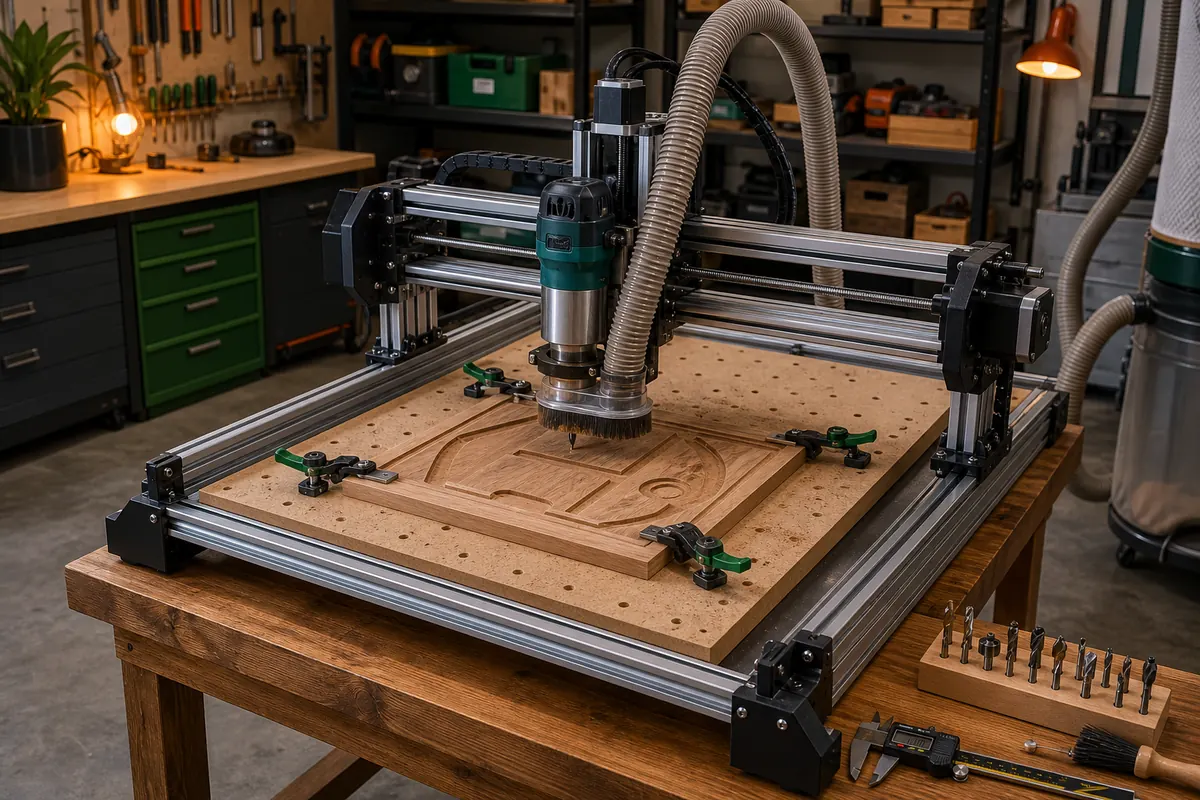
Desktop CNC machines now cost less than a year of shop membership, which makes this a real decision — and a different one than the laser version, because with CNC the machine is the easy part. The hard parts are CAM software, workholding, dust, and noise. Here's the decision run honestly both ways.
Quick verdict
Never run a CNC before? Get trained at a shared shop first, whatever you eventually buy. Work fits under ~16×16", cutting monthly+? A desktop machine wins fast. Full plywood sheets, cabinet parts, big signs? Stay shared — a 4×8' machine will never live in your garage for less than shop dues.
Why CNC math differs from laser math
A laser is nearly ready out of the box; a CNC is a system you assemble competence around. The learning curve is CAD → CAM (toolpaths, feeds and speeds, bit selection) → machine craft (workholding, zeroing, listening for a bad cut). At a shared shop, that curve comes with a curriculum and people who've made your mistakes. Alone in a garage, it comes with broken bits and ruined stock — educational, but slower and not free. This is why the strongest recommendation in this guide is sequencing, not either/or: learn shared, then buy. You'll buy the right machine, and your first week of ownership will be productive instead of remedial.
The real cost of ownership
| Cost | Desktop CNC | Notes |
|---|---|---|
| Machine | $400–$2,500 | A FoxAlien desktop CNC sits at the accessible end with strong community support |
| Bits and workholding | $100–$300 to start | Consumables, forever — bits dull and snap |
| Dust management | $50–$200 | A dust shoe plus a shop vac, minimum; MDF dust is nasty |
| CAM software | Free–$700 | Free tiers exist; paid CAM is where many owners land |
| Your time as technician | Real | Tramming, belt/screw maintenance, firmware — yours now |
| Noise tolerance | Priceless | Router + vacuum for hours; garages and neighbors have opinions |
Rule of thumb from the laser guide holds here: real first-year cost lands around 1.5× the machine price. Budget it upfront and ownership stays fun.
What shared access quietly includes
A full-sheet machine you'll never own, industrial dust collection, tooling libraries, CAM seats on shop computers, training with a syllabus, and the ten-second diagnosis from the member who recognizes the sound your cut is making. The costs are the usual shared-shop ones: dues plus metered time, booking queues, drive time, and project logistics — hauling half-finished panels back and forth gets old.
The decision in four questions
- Does your work fit a desktop bed? Signs, inlays, guitar bodies, panels, PCBs → yes. Cabinets, furniture parts, full sheets → shared, decision over.
- Cuts per month? Under 2: shared or per-job services. Over 4, small work: ownership math starts winning.
- Can you host noise and dust for hours at a time? No → shared.
- Is anyone paying for output? Recurring orders make ownership nearly automatic — iteration speed is the business. (Also read selling from a makerspace first; your shop may have policies.)
The hybrid most CNC users end up running
A desktop machine at home for small parts and iteration, shop access for full sheets and thick stock. If you go this route, buy where the community is: machines like the FoxAlien line have active user groups whose settings files and fixes substitute for the shop members you left behind. For deeper machine comparisons before you commit, The Maker Guide's CNC section covers the current field.
Frequently asked questions
Is a desktop CNC good enough for real projects?
Within its envelope, absolutely — signs, inlays, jigs, guitar bodies, engraving, and aluminum (slowly, with patience) are all realistic. What it can't do is full-sheet work; bed size, not build quality, is the honest limit of desktop machines.
How loud is a desktop CNC, really?
Router plus dust vacuum runs about as loud as a shop vac on steroids, for the full duration of every cut — often hours. Garage with a door: fine. Apartment or shared wall: this alone may make the makerspace the right answer.
Should I learn CNC before buying one?
Strongly yes. A shared-shop certification class ($50–$300) teaches CAM, workholding, and feeds and speeds on someone else's machine and stock. Owners who trained first consistently report a faster, cheaper first year than owners who learned by breaking bits.
What software will I need for my own machine?
A CAM toolchain: free options (Easel, Carbide Create, Fusion 360's hobbyist tier) cover most desktop work, and many owners graduate to paid CAM later. If you trained at a shop, strongly consider using whatever it taught — your muscle memory is worth more than a feature list.